Product
Your AI Agent Needs to See What Your Users See
Most AI agents are built to react. Customer has a problem → asks a question → agent tries to help.
After building support agents for the last 2 years, we learned the real bottleneck: The limit isn't what your agent knows about your product. It's what it knows about this user—right now—on this screen. This is the context gap.
"I can't find this order" / "My notification alerts aren't firing."
Your agent can search docs and ask clarifying questions. But it can't see that the user has a filter enabled that is excluding the result, they're on mobile and the submit button is cut off, or the user's plan doesn't support the feature. That's why chat-only agents plateau.
Introducing the Interactive Agent SDK
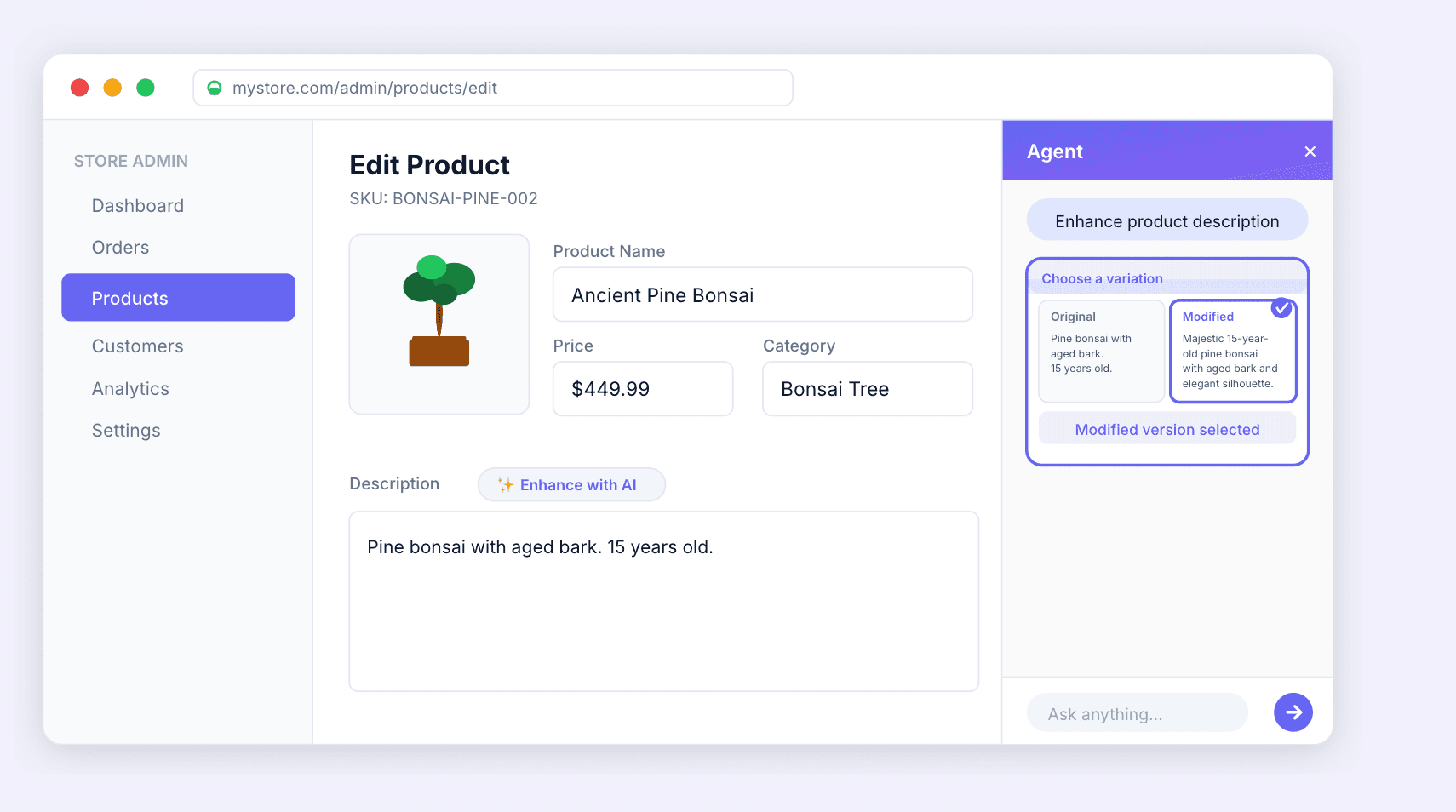
We built the Interactive Agent SDK to close the context gap—giving your AI agents UI visibility and the ability to act on what they see. It's built on the open Model Context Protocol (MCP)—a standard way for agents to securely use tools, show custom UI widgets, and share data—and it integrates into your existing website while connecting to your stack.
How It Works
When a user asks for help, your agent can receive live context like: the current page/route and relevant UI state (form fields, validation errors, selected items), user events (clicks, steps completed, where they dropped off), and product + business context (account tier, permissions, recent backend errors).
And it can respond with more than text: guided UI highlights ("click here next"), safe actions (auto-fill a field, correct a format, run a report), and custom widgets rendered inline (charts, tables, step-by-step checklists).
What You Get
- ✅ Deep integrations — Salesforce, Zendesk, Freshdesk, and your own APIs
- ✅ Installs into your existing website — via our React package or a JavaScript snippet
- ✅ Flexible UI — use our chat UI or bring your own
- ✅ Easy to extend — add custom tools and UI actions specific to your product
We handle the hard parts: security, observability, real-time communication, integrations, and tool safety. Your agent only sees what you give it. Sensitive fields stay private.
What This Unlocks
Complex Setup Flows: Instead of a generic "try again," the agent sees what the user sees (a hidden toggle is off, an API key has trailing whitespace), explains the field in context, fixes formatting, and guides the next click. On one B2B onboarding flow, completion improved from 40% → 87%.
E-commerce Carts: User asks "Will this lens work with my Canon EOS R5?" The agent sees they're comparing L-series RF lenses with an EOS R5 body in cart, checks compatibility, recommends the correct mount/adapter, and renders a compatibility widget—before they abandon the cart.
SaaS Dashboards: User asks "I need sales for the Northeast region by month." The agent sees which dashboard they're on, finds the pre-built report, applies filters, runs it, and renders a chart widget—while explaining the October revenue dip.
What's Next
The future isn't AI agents that only answer questions from your knowledge base. It's agents that make your product better. When your agent has UI visibility, deep integrations, and can render custom widgets, you don't just get "AI support." You get product experiences that delight users.
Get Started: See it in action • Learn more about Agentic UI • Book a demo
If you're hitting walls with UI sync, custom rendering, or integrating agents into your product, book a demo—we'll show it working inside your product quickly.